The Floori visualizer, like any sales tool, will only be effective if it is properly integrated into your current sales process. Actively using it when interacting with potential customers is crucial, as it has been proven to increase your conversion rate and shorten your sales cycles.
This document provides a list of best practices to guide our customers in effectively implementing Floori. Our goal is to help you maximize Floori’s impact on your business.
Here are some valuable examples to get you started:
Integrate the Visualizer Early: Introduce the Floori Lite visualizer during initial customer interactions. This helps potential clients visualize your products in their space, increasing engagement and interest.
Highlight Key Features: Emphasize the unique features of the visualizer, such as the ability to see products in real-time settings. This can help differentiate your offerings from competitors.
Use in Follow-Ups: After initial meetings or calls, send personalized follow-up emails with visualizer links. This reinforces your product’s appeal and keeps your business top-of-mind.
Social Media Campaigns: Promote the visualizer on your social media platforms. Share success stories and examples of how the visualizer has helped other customers.
Training for Your Team: Ensure your sales team is fully trained in using the Floori Lite visualizer. The more comfortable they are with the tool, the more effectively they can use it to close deals.
Embed Floori in your whole sales process, as well as in-store/home visits and on social media platforms.
Adding an email footer with a direct link to the visualizer
Each of us uses email for everyday work with clients. Almost every customer, although for a split second, nearly every customer pays attention to the email footer. It is also important to consider its appearance and the appropriate “Call-To-Action CTA.”
Send emails and SMS as a hook for customers to engage with you
Let customers know about your new tool that will help them choose the perfect floor/rug/carpet/wallpaper for their home. An email or SMS template with your Floori Lite link, GIF, or picture is a must-have for any sales rep looking to step up their game.

Visualizer QR Code On Door Hangars
Supercharge your efforts by using a QR code that links directly to the visualizer, maximizing your impact. If homeowners are present, offer them the visualizer experience on the spot. This engaging tool can significantly increase your chances of getting inside their home and provides immense value, especially during a cold approach.
YOUR Door hanger Canva template is here!

Enhance your sales and marketing strategy with personalized QR codes
Watch this video to learn how to download the QR codes directly from your portal:
🎥 Watch: How to access & download QR codes (38 sec)
For each color swatch! With just a quick scan, customers can instantly access detailed information and visuals for their chosen color. This seamless experience not only boosts engagement but also simplifies the decision-making process. Start using personalized QR codes today to provide a more interactive and informative journey for your customers.
Here are some examples


Instant Social Media Wins: Visualizer Templates, Business Blueprint & Proven Ad Strategies!
Ready to see real results? We’ve bundled everything you need to transform your social presence and drive sales. Get started with our engaging social media templates, unlock strategic insights with our Epoxy Business Blueprint, and implement the top-performing ad examples we’ve included.
Maximize your visualizer’s reach, attract new customers, and boost your sales with content and strategies designed to convert instantly!”
- Unlock Instagram Leads: Grow Your Coatings Business Now!
- Dominate Google: 4 Steps to Higher Epoxy Business Rankings!
- Skyrocket Sales: Why Paid Ads Are Essential for Your Coatings!
- See Real Results: Powerful Customer Testimonial Ads!
- Epoxy Assets That Sell: Product & Application Visuals!
- Email Campaigns That Convert: Epoxy Marketing Gold!
- Instant Impact: Epoxy Canva Feed Template 1.0!
- Storytelling Success: Epoxy Canva Stories Template 2.0!
- Capture Attention: Epoxy Canva Feed Template 3.0!
- Get Local Leads: Epoxy Door Hanger Design Pack!
- Visualizer Ad Magic: Epoxy Video Ad V2 Revealed!
- More Visualizer Clicks: Epoxy Video Ad V3 Breakdown!
- Stop Scrolling: Epoxy Visualizer Post 4.0 That Converts!
- Swipe to Sell: Epoxy Visualizer Carousel 4.0!
- Engage Instantly: Epoxy Visualizer Story 4.0!
- Your Epoxy Business Blueprint: The Ultimate Guide (PDF)!
- Go Viral: Epoxy Ad Text That Gets Shares!
- Maximize Your ROI: Epoxy Ad Performance Report!
Final step: Track your progress and measure the tool’s efficiency.
Looker Studio Reports
You’ll gain the ability to track the visualizer’s impact on your business results and analyze user behavior within the tool. For a more comprehensive analysis, you can request an extended usage report through Looker Studio. Simply open an inquiry in the Help Desk and provide your Floori subdomain link. We’ll then prepare a detailed report for you.
ℹ️ Do you need help with the creation of a website, landing page or have need for someone to help you prepare marketing material and a Lead generation service? Contact us at customersuccess@floori.io to ask for these services.
Implementing these best practices will undoubtedly yield great results for your business. Remember, we’re here to support you every step of the way. Whether you have ideas for improving our tool or encounter any issues, please don’t hesitate to visit our help desk and share your feedback with us. We’re committed to continuously enhancing your experience with our solution.
THANK YOU ❤
Floori Ecosystem Part III: How the Floori Visualizer Enables Manufacturers and Distributors of Engineered Wood, Laminate, LVT/SPC, Parquet, and Vinyl to Drive Customer Confidence and Conversions
Part 3 of 3 — The Floori Ecosystem for Flooring Industry This article is part of our deep-dive into the Floori Ecosystem, which combines three parts that work
Floori Ecosystem Part II: How the Floori Portal Empowers Manufacturers and Distributors of Engineered Wood, Laminate, LVT/SPC, Parquet, and Vinyl to Control Catalogs, Branding, and Product Access
Part 2 of 3 — The Floori Ecosystem for Flooring Industry This article is part of our deep-dive into the Floori Ecosystem, which combines three parts that work
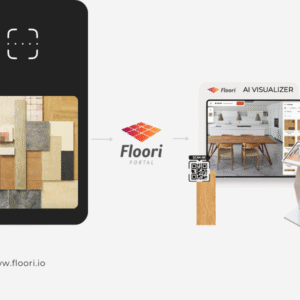
Floori Ecosystem Part I: How the Floori Scanner Helps Manufacturers and Distributors of Engineered Wood, Laminate, LVT/SPC, Parquet, and Vinyl Create True-to-Scale Digital Assets
Part 1 of 3 — The Floori Ecosystem for Flooring Industry This article is part of our deep-dive into the Floori Ecosystem, which combines three parts that work
Why Rug Brands Love Our WooCommerce Plugin (And Why You Will Too)
By Nagham, Floori’s Sales Manager In this article, Floori Sales Manager Nagham shares how the Floori WooCommerce Plugin is revolutionizing rug e-commerce. From real-time product

Introducing the Floori WooCommerce Plugin: Effortless Data Sync & Sales Optimization
We Listened. We Improved. Now, Managing Your WooCommerce Store and Floori Portal Is Easier Than Ever. E-commerce businesses rely on speed, accuracy, and efficiency to remain competitive. However, many

How These Two Companies Are Rocking It With The Best Performing Epoxy Ads (+ How You Can Do It Too)
In today’s digital age, social media has become an essential platform for businesses to reach and engage with their target audience. One of the critical factors in achieving success